Quick Answer
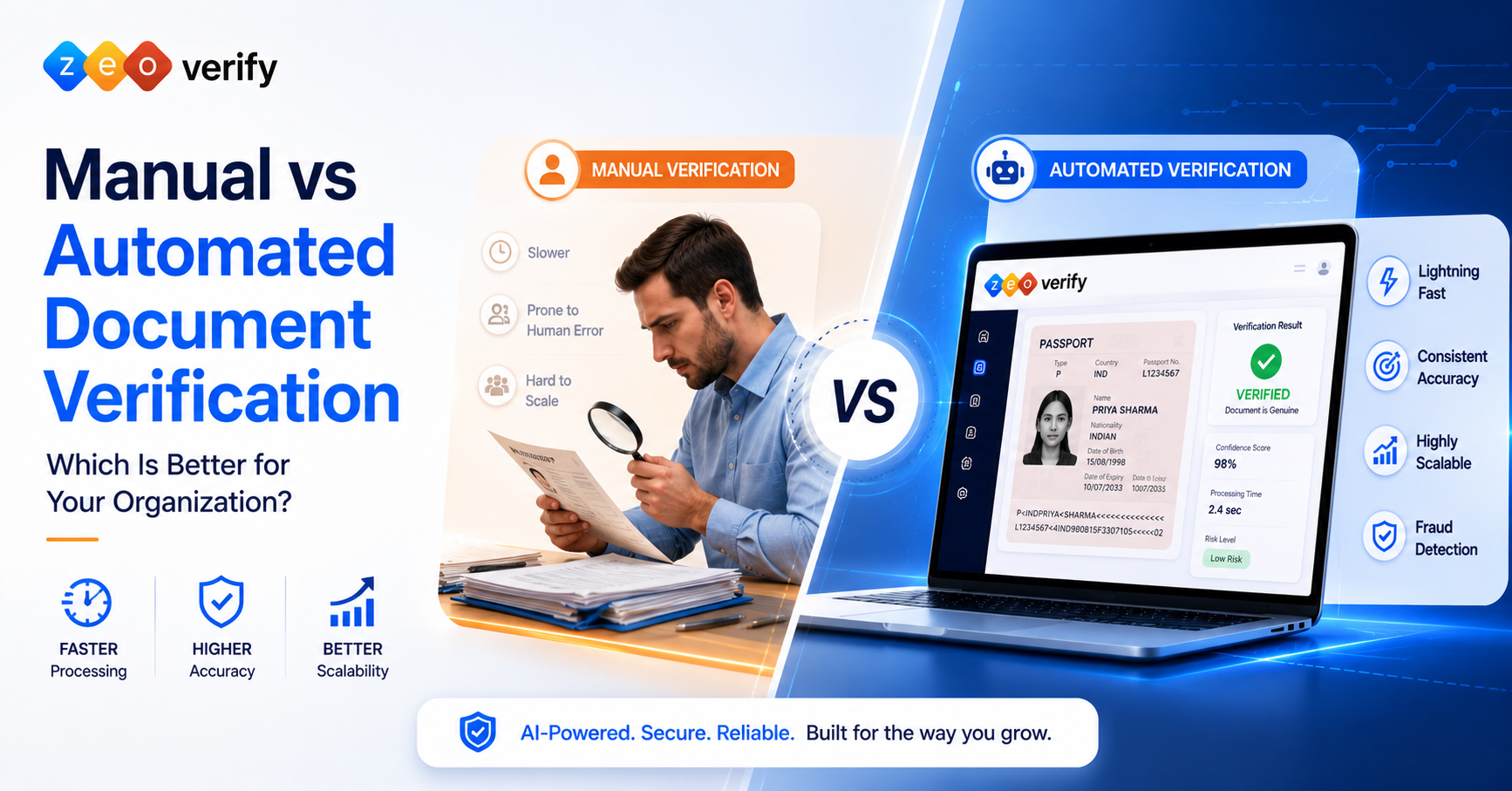
Automated document verification is generally better for organizations handling high document volumes, since it improves processing speed, consistency, scalability and data extraction. Manual verification still holds value for complex, unusual or high risk cases. For many organizations, a hybrid approach combining automated screening with human review of exceptions is the most practical model.
Introduction
As document volumes grow and fraud tactics get more sophisticated, more organizations are rethinking whether manual review can keep up. What used to be a simple question of hiring more reviewers now involves weighing speed, consistency and cost against the flexibility a human reviewer brings to an unusual case.
Manual vs automated document verification is not really a question with one universal winner. This guide breaks down how each approach works, where each one holds up and where it falls short, and how a hybrid model often ends up being the practical answer for growing organizations.
TL;DR
- Manual verification is flexible and human led but slower and harder to scale
- Automated verification is faster and more consistent for routine, high volume work
- AI powered verification assists with analysis, fraud indicators and data extraction
- Human review remains useful for exceptions and ambiguous cases
- Hybrid verification combines automated screening with human intervention where needed
- The best choice depends on volume, risk, budget, accuracy requirements and operational complexity
What Is Manual Document Verification?
Manual document verification is the process of a trained person visually reviewing a document to confirm it is genuine and matches the information provided by the submitter.
How Manual Document Verification Works
The process generally follows a document submission, a human inspection of the physical or scanned file, comparison against the information provided, an authenticity check based on visible security features, a decision made by the reviewer, and record keeping of the outcome.
Advantages of Manual Document Verification
- Human judgment that can weigh context a system might miss
- Flexibility to handle unusual or unfamiliar document formats
- Strong contextual decision making
- Direct exception handling without needing to escalate
Limitations of Manual Document Verification
- Processing speed that cannot keep pace with high volume
- Human error, especially during repetitive review sessions
- Repetitive workload that leads to reviewer fatigue
- Inconsistent decisions between different reviewers
- Heavy staffing requirements as volume grows
- Limited scalability without proportional hiring
What Is Automated Document Verification?
Automated document verification uses software, often combining OCR and AI, to check whether a document is genuine and consistent, without requiring a human to review every submission.
How Automated Document Verification Works
The workflow typically starts with document upload through a web form or API, followed by image and document analysis for quality and structure, data extraction, authenticity and consistency checks, automatic flagging of risk or fraud indicators, and finally an automated decision or escalation to a human reviewer.
Advantages of Automated Document Verification
- Faster processing, often in seconds rather than minutes
- Greater consistency since the same checks apply every time
- Better scalability for high document volumes
- Reduced repetitive workload for staff
- Automated data extraction that cuts down manual entry
- Digital audit trails that simplify compliance
- Integration capabilities with existing systems
Limitations of Automated Verification
- Dependence on document image quality
- Possible false positives or false negatives
- Difficulty with complex or unusual exceptions
- Configuration effort required to set up properly
- Software and integration costs
- Continued need for human review in certain cases
Manual vs Automated Document Verification: Key Differences
Neither approach is automatically superior in every situation. The right comparison depends on what matters most to your organization, whether that is speed, judgment, cost or scale.
Manual vs Automated Document Verification Comparison Table
| Factor | Manual Verification | Automated Verification |
|---|---|---|
| Speed | Human dependent | Fast, automated processing |
| Accuracy | Depends on the reviewer | Consistent, though not infallible |
| Scalability | Limited by staffing | Well suited to high volumes |
| Cost | Staff and time intensive | Software cost with operational savings potential |
| Human involvement | High | Lower for routine cases |
| Fraud detection | Human inspection | Automated checks and risk signals |
| Consistency | Can vary between reviewers | More standardized |
| Error risk | Human error possible | Data quality or system errors possible |
| Data extraction | Manual | Often automated |
| Auditability | Requires documentation | Digital logs simplify auditing |
| Integration | Limited | API and integration options available |
1. Speed and Processing Time
Automated systems generally process documents far faster than a human reviewer working through the same volume, especially once queues start to build up.
2. Accuracy and Error Rates
Neither approach should be described as perfectly accurate. Manual review depends heavily on the individual reviewer’s attention and experience, while automated systems can produce false positives or negatives depending on document quality and configuration.
3. Scalability and Document Volume
Automated verification scales far more easily, since adding volume does not require adding proportional headcount the way manual review does.
4. Cost and Operational Efficiency
Manual verification costs show up mainly in staff time, training and error correction. Automated verification shifts costs toward software and integration, often with lower ongoing operational overhead at scale.
5. Fraud Detection and Document Authentication
Automated systems are good at spotting patterns and inconsistencies across large volumes, while human reviewers can sometimes catch contextual anomalies that a system was never trained to recognize.
6. Security, Compliance and Auditability
Security depends on the entire process, not just the method. Automated systems tend to produce cleaner audit trails, though access controls and data handling practices matter regardless of approach.
7. Human Error vs System Error
Automation reduces certain repetitive human mistakes, but it introduces its own limitations tied to document quality, configuration and edge cases the system was not trained to handle.
Can Manual and Automated Document Verification Work Together?
Yes, and for many organizations this hybrid approach ends up being more practical than choosing strictly one or the other.
What Is Hybrid Document Verification?
Hybrid verification combines automated screening for routine documents with human review reserved for exceptions, ambiguous results or high risk cases.
How a Hybrid Verification Workflow Works
A typical hybrid workflow runs automated document screening first, extracts data, applies AI or risk analysis, automatically approves low risk cases, identifies exceptions, routes those exceptions to a human reviewer, and records the final decision.
When Is Hybrid Verification Useful?
Hybrid verification tends to make the most sense for high risk documents, complex or unusual cases, regulated environments with strict compliance needs, larger organizations processing significant volume, and organizations in the middle of transitioning away from a fully manual system.
Real World Scenarios: Which Verification Method Is Better?
A small organization with low document volume can often stick with manual review, since the volume simply does not justify the cost and setup of a full automated system yet. A university processing thousands of student documents tends to fit better with automated or hybrid verification, given the scale of admissions, the variety of academic documents involved, and tight processing deadlines each intake. An education consultancy verifying academic certificates usually does well with automated verification for routine documents and manual escalation for exceptions, balancing speed with the judgment needed for unfamiliar certificate formats. And an organization regularly handling high risk or suspicious documents tends to benefit most from automated screening followed by human investigation, since automation flags the pattern and a person investigates the context.
When Should Your Organization Automate Document Verification?
A few clear signals suggest manual review has been outgrown.
Is It Time to Automate? Checklist
- Document volume is increasing
- Verification is taking too long
- Staff spend significant time on repetitive checks
- Fraud concerns are increasing
- Manual errors are becoming costly
- Multiple teams handle documents
- Faster onboarding is required
- Audit trails are difficult to maintain
- Integration with existing systems is needed
- The organization expects continued growth
How to Choose Between Manual, Automated and Hybrid Verification
Weigh document volume, risk level, budget, required processing speed, accuracy requirements, available staff, integration needs, compliance requirements, business growth plans and the general complexity of the documents involved.
Decision Matrix
| Your Situation | Recommended Approach |
|---|---|
| Low volume, simple documents | Manual |
| Low volume, high risk documents | Manual or Hybrid |
| High volume, routine documents | Automated |
| High volume, frequent exceptions | Hybrid |
| Multiple systems needing integration | Automated or Hybrid |
| Complex or unusual documents | Hybrid |
| Rapidly growing organization | Automated or Hybrid |
Cost and ROI: Is Automated Document Verification Worth It?
Manual verification costs show up mainly in employee hours, training, rework, error correction, delays and capacity limitations, and these add up over time even when the individual costs seem small day to day. Automated verification shifts costs toward software subscription or licensing, integration, implementation, maintenance and exception handling. A useful way to compare the two is total cost of verification: cost per document equals staff cost plus software cost plus error and rework cost plus operational overhead. The cheapest upfront option is not always the lowest cost once volume and error correction are factored in.
Common Misconceptions About Manual and Automated Verification
A few assumptions come up often and deserve a closer look. Automation does not mean no humans are needed, since most systems still route exceptions to a reviewer. Automated verification is not 100% accurate, as false positives, false negatives and document quality issues all affect results. Manual verification is not automatically more secure, since security depends on the entire process rather than simply having a human involved. AI and automation are not the same thing either, since automation can run predefined workflows without any AI at all, while AI specifically adds analysis and anomaly detection on top. And not every organization should fully automate verification, since volume, risk, document complexity and compliance requirements all shape what actually makes sense.
Final Verdict: Manual vs Automated Document Verification
Manual verification remains useful for low volume, complex or exceptional cases where judgment matters more than speed. Automated verification is generally more suitable for repetitive, high volume document processing, and AI can strengthen it further by supporting analysis and risk detection. Human review still holds real value wherever context or nuance is required. For many organizations, hybrid verification ends up combining the strengths of both rather than forcing a choice between them.
Frequently Asked Questions
What is the difference between manual and automated document verification?
Manual verification relies on a person reviewing a document by eye, while automated verification uses software to check authenticity and extract data automatically.
Is automated document verification better than manual verification?
It is generally better suited to high volume, repetitive verification, while manual review remains valuable for complex or exceptional cases.
Is automated document verification accurate?
It can be highly accurate for routine documents, though no system is perfectly accurate and false positives or negatives can occur.
What are the benefits of automated document verification?
Faster processing, greater consistency, better scalability, automated data extraction and stronger audit trails.
Does automated verification eliminate human review?
No, most systems still escalate exceptions or low confidence results to a human reviewer.
When should a business automate document verification?
When document volume grows, verification takes too long, errors become costly, or the organization needs faster onboarding and better audit trails.
What is hybrid document verification?
An approach that combines automated screening for routine documents with human review reserved for exceptions or high risk cases.
Conclusion
There is no single universal answer to manual vs automated document verification. Automated verification is generally better suited to high volume, repetitive verification, while manual review remains valuable for complex or exceptional cases, and a hybrid model often gives organizations the best of both.
Ready to move beyond fully manual document verification? At ZeoVerify we help organizations process documents faster, improve consistency, detect potential fraud and scale their verification workflows while still keeping human review available for the cases that need it. Explore ZeoVerify or request a demo to see how a hybrid approach could work for your organization.