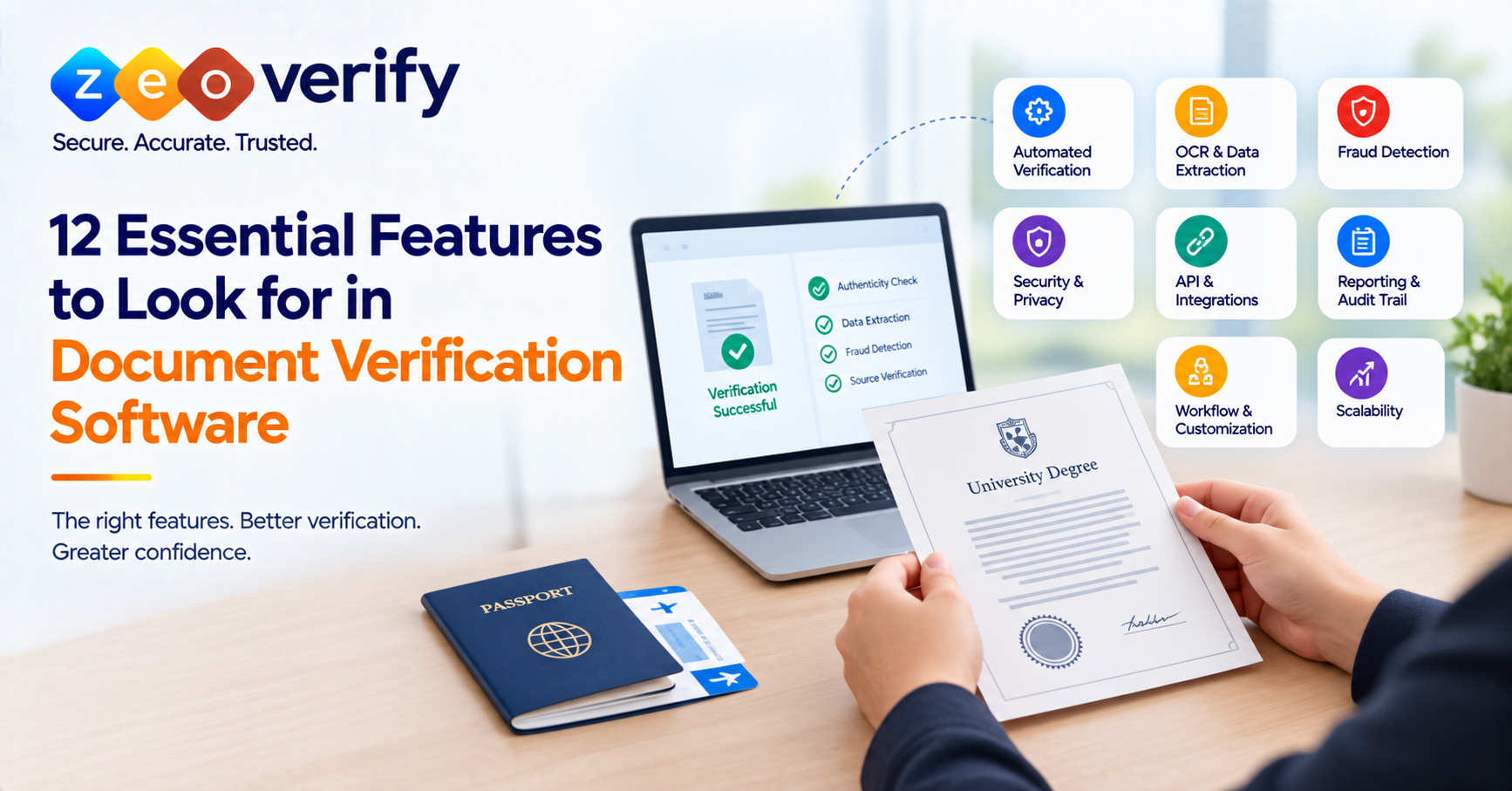
Good document verification software should be judged on its automated verification, data extraction, fraud and tampering detection, source verification, document coverage, security, API and integration options, audit trail, reporting, workflow fit and scalability. How much each one matters depends on your documents, risk level, volume and existing systems, so no organization needs every feature to the same degree.
Introduction
Plenty of platforms claim to verify documents, but they do very different things behind that claim. Some simply read the text on an upload. Others check authenticity, flag tampering or confirm details against an official source. Reading a document and verifying it are not the same job.
That is why a feature-by-feature review works better than a general impression. The right capabilities depend on the documents you handle, how risky a mistake would be, how many cases you process and what systems you already use. This guide walks through 12 features worth evaluating, with questions you can put to any vendor. For the wider picture, see our [document verification software guide].
What Should You Look for in Document Verification Software?
Before getting into individual features, it helps to group them into five areas:
- Verification capability: automation, extraction, fraud detection, tampering detection and source checks
- Security and fraud prevention: how sensitive documents and transactions are protected
- Workflow fit: whether the platform matches how your team actually works
- Integration and auditability: how it connects to other tools and records what happened
- Scalability and usability: whether it keeps working as volume and users grow
The 12 features below sit inside these five areas.
12 Essential Features of Document Verification Software
Here is the full list at a glance, followed by a closer look at each one.
| Feature | Why It Matters | What to Evaluate |
|---|---|---|
| Automated verification | Reduces repetitive manual work | Automation depth and exception handling |
| OCR and data extraction | Turns document content into usable data | Document types, fields and languages |
| Fraud detection | Helps spot suspicious documents | Fraud scenarios and detection methods |
| Tampering detection | Flags possible alterations | Manipulation checks and evidence |
| Source verification | Checks information against available sources | Supported sources and method |
| Document coverage | Confirms the software handles your documents | Types, formats and markets |
| Security | Protects sensitive documents and transactions | Encryption, authentication, access controls |
| API and integration | Connects verification to existing workflows | Documentation and compatibility |
| Audit trail | Improves traceability | History, timestamps and exports |
| Reporting | Gives operational visibility | Reports, filters and exports |
| Workflow and customization | Fits your processes | User experience and flexibility |
| Scalability | Supports current and future volume | Capacity and peak handling |
1. Automated Document Verification
Automated verification runs repetitive checks without a person handling each file. For a university receiving a large batch of academic documents, that can take a lot of routine work off the team. Automation is not the same as unattended decision-making though, and it does not guarantee accuracy.
Ask vendors: Which checks are automated? What happens when a document cannot be verified? Can exceptions go to manual review? See [how document verification software works] for more on the process.
2. OCR and Automated Data Extraction
OCR reads names, numbers, dates and other fields from a document and turns them into structured data, which cuts manual entry. Results can depend on scan quality, layout and language.
The key point is that OCR extracts information. It does not prove that a document or its contents are authentic. Treat it as an input to verification rather than verification itself.
Ask vendors: Which document types and languages are supported? How are extraction errors corrected? Learn more in [OCR in document verification].
3. Fraud and Fake Document Detection
Fraud detection goes further than reading a document. It looks for signs that something has been altered, forged or does not add up. Platforms use different techniques here, and a label like “AI-powered” tells you very little on its own.
Ask vendors: What kinds of fraud can the system identify? Does it catch obvious edits and subtle manipulation? How are suspicious documents surfaced for review? See [AI in document verification] for more.
4. Tampering and Document Authenticity Detection
Tampering detection focuses on changes to text, images or layout that suggest a document was altered after it was issued. A document that merely looks valid has not necessarily passed a strong authenticity check. No software can honestly promise to catch every possible forgery.
Ask vendors: Which kinds of manipulation are checked? Which formats are supported? Are reasons or evidence provided when a document is flagged?
5. Document and Source Verification
An authentic-looking document can still contain wrong information. Source verification checks details against an authoritative source instead of relying only on the uploaded file. How far this goes depends on which sources are actually available.
ZeoVerify offers one concrete example. Its documented DigiLocker workflow involves DigiLocker authentication and consent, followed by direct source retrieval, where applicable. This is specific to that workflow and should not be read as covering every document type.
Ask vendors: Which sources are supported? Which documents can be source-verified? What happens if a source is unavailable?
6. Support for Relevant Document Types
A platform is only useful if it handles the documents you actually receive. Education workflows may involve marksheets, certificates and identity documents. Immigration workflows lean on identity and supporting documents. Embassies may have their own requirements. “Supports documents” should always be pinned down by document type, format and verification method.
Ask vendors: Before any demo, build a test list of your real documents and ask how each one is verified.
7. Security, Encryption and Authentication
When documents hold personal information, security is not optional. Look at encryption, authentication, secure transaction handling, access controls and how data is stored and transmitted. Encryption matters, but it does not equal complete security by itself.
ZeoVerify’s confirmed capabilities include secure transactions, encryption and authentication.
Ask vendors: How is data encrypted? How are users authenticated? What are the retention and deletion policies? Where is the security documentation?
8. API and Integration Capabilities
If verification needs to connect with an admissions system, CRM or internal tool, integration matters. An API can reduce manual handoffs by passing documents and results between systems. Not every organization needs deep integration, so weigh this against your actual setup.
This is an industry evaluation criterion rather than a ZeoVerify claim.
Ask vendors: Is an API available? How is it documented and authenticated? What data comes back? How are errors handled?
9. Audit Trail and Verification History
An audit trail records what happened during a verification, including status changes, actions taken, timestamps and outcomes. That makes it easier to trace decisions and review cases later. It does not automatically make an organization compliant.
Ask vendors: What events are recorded? Can records be searched and exported? How long are they kept? Can your team see why a result was produced?
10. Reporting and Verification Visibility
Reporting shows what is happening across your cases, such as completed versus pending verifications, exceptions and outcomes. It helps managers spot bottlenecks and review work internally.
Like the API point above, this is a general evaluation criterion rather than a confirmed ZeoVerify feature.
Ask vendors: Which reports are available? Can they be filtered and exported? Is visibility role-based? Is historical reporting included?
11. Workflow, User Experience and Customization
Technical strength means little if staff and applicants struggle to use the system. A clear submission process, visible status and a workflow that adapts to your requirements all reduce friction.
ZeoVerify’s confirmed capabilities here include a responsive interface, a user-friendly workflow, professional services and customizable plans for embassies and consultants.
Ask vendors: How many steps does a submission take? Can workflows be customized? Is there a manual review path? Are notifications supported?
12. Scalability and Performance Fit
Instead of only asking how many documents a platform can process, ask how it performs with your document types, what happens during peak periods and what the operational limits are. Also ask what happens when automated verification fails and how pricing scales as volume grows. Be cautious of any throughput figures that come without context.
Which Document Verification Features Matter Most for Different Organizations?
No. Feature priorities depend on document types, risk, workflow and volume. The table below is editorial guidance rather than an objective ranking.
| Feature Area | Universities | Immigration Consultancies | Embassies |
|---|---|---|---|
| Academic document verification | High | Medium | Medium |
| Identity document verification | Medium | High | High |
| Fraud detection | High | High | High |
| Source verification | High | Medium to High | High |
| Security | High | High | High |
| Audit trail | High | High | High |
| Reporting | Medium to High | Medium | High |
| Customization | Medium | High | High |
| User experience | High | High | Medium to High |
| Scalability | Medium to High | Medium to High | High |
Universities and Educational Institutions
Academic document verification, source checks, fraud detection and auditability tend to matter most, especially for marksheets and certificates.
Immigration Consultancies
Identity document handling, fraud detection, secure workflows and a simple submission experience usually take priority.
Embassies and Institutional Organizations
Security, source verification, auditability, reporting and workflow customization often come first.
How to Choose Document Verification Software Using These Features
A simple process keeps the decision grounded:
- Define your requirements. List document types, users, workflow and risk.
- Gather a real document sample set. Use documents you actually handle.
- Estimate volume. Consider both average and peak periods.
- Set security and privacy requirements before vendor conversations begin.
- Test fraud detection. Ask what manipulation the platform genuinely checks.
- Check integrations and workflow fit against your existing systems.
- Review audit and reporting needs. Decide what evidence your team requires.
- Test the user experience for both staff and applicants.
- Compare total cost, not just headline per-verification pricing.
- Request a demo or proof of concept using real or representative documents.
Testing against your own documents will tell you more than any feature list. For a fuller walkthrough, see [how to choose the right document verification software] and our [document verification software comparison].
Document Verification Software Feature Checklist
- Automated verification
- OCR and data extraction
- Fraud detection
- Tampering detection
- Source verification
- Required document coverage
- Security controls
- API and integration capability
- Audit trail
- Reporting
- Workflow usability and customization
- Scalability
Evaluate each one against your actual documents, workflow and risk rather than treating every feature as equally important.
How ZeoVerify Approaches Document Verification
ZeoVerify is built around secure, fraud-aware document verification, with a focus on education, immigration and embassy workflows. Here is how its confirmed capabilities map to the evaluation areas above.
| Evaluation Area | Why It Matters | ZeoVerify Relevance |
|---|---|---|
| Secure transactions | Protects sensitive workflows | Confirmed |
| Encryption and authentication | Helps protect transactions and access | Confirmed |
| Fraud prevention | Addresses document fraud risk | Confirmed |
| User-friendly workflow | Reduces operational friction | Confirmed |
| Responsive interface | Supports usability across devices | Confirmed |
| Source retrieval | Supports source-based verification where available | DigiLocker workflow documented |
| Custom plans | Fits differing organizational needs | Confirmed for embassies and consultants |
| Professional services | Supports implementation needs | Confirmed |
The documented DigiLocker workflow runs through login, verification, self-verification, new application, document upload, payment, DigiLocker authentication and consent, and direct source retrieval, where applicable.
ZeoVerify does not claim guaranteed accuracy or universal suitability. If these capabilities line up with your requirements, explore ZeoVerify or talk to the team about your document verification needs.
Conclusion
There is no universal feature hierarchy that suits every organization. Start with your document types and workflow, then look closely at verification depth, fraud detection and security. Factor in integration, auditability and reporting, and test every shortlisted platform with representative documents. Use the 12-feature checklist before you speak to vendors, and evaluate ZeoVerify against those same requirements alongside any other option.
Frequently Asked Questions
What features should document verification software have?
Automation, data extraction, fraud and tampering detection, source verification, security, integration, auditability, reporting and scalability, weighted by your own needs.
What should I look for in document verification software?
Check capabilities against your document types, workflow, risk level, volume and integration needs rather than relying on a generic feature list.
What are the most important document verification software features?
It varies by organization. Fraud detection, security and document coverage matter broadly, but priorities shift with your use case.
How does automated document verification work?
It runs preset checks automatically and routes problem cases to a person. It reduces manual work but does not remove the need for review.
Why is OCR important in document verification?
It extracts data from documents so it can be checked and used. OCR alone does not confirm that a document is authentic.
Can document verification software detect fake documents?
Many platforms can flag signs of alteration or forgery, but none can promise to catch every fake. Manual review still matters for high-risk cases.
What security features should document verification software have?
Encryption, authentication, access controls and clear data retention and deletion practices.
Why is an audit trail important in document verification?
It records what happened and when, which makes decisions easier to trace and review.
Does document verification software need an API?
Only if verification must connect to your existing systems. Many teams benefit from one, but it depends on your workflow.
What reporting features should document verification software have?
Status views, outcomes, exceptions, historical visibility and export options.
How do I choose document verification software?
Define requirements, gather real sample documents, check security and integration, compare total cost and run a demo with your own documents.
What features matter most for universities and educational institutions?
Academic document handling, source verification, fraud detection, security, workflow fit and auditability.
Last reviewed: September 2026